 TanStarter 文档
通知
学习如何在 TanStarter 中设置和使用通知
TanStarter 支持在用户成功完成支付时发送通知,这允许您的团队在工具中接收实时订单提醒。
目前支持 Discord 和飞书两种通知渠道。您可以通过实现 NotificationProvider 接口来添加更多通知渠道。
设置
启用通知渠道
在 src/config/website.ts 中启用通知功能,并配置接收消息的通知渠道:
export const websiteConfig: WebsiteConfig = {
  // ...other config
  notification: {
    enable: true,
    provider: 'discord', // or 'feishu'
  },
  // ...other config
}
配置 Webhook URL
根据选择的通知渠道,配置对应的 Webhook URL:
- 进入到 Discord 服务器并打开想要接收通知的频道
- 点击齿轮图标打开
Channel Settings - 选择
Integrations>Webhooks>New Webhook - 为 Webhook 设置名称和头像(可选)
- 复制
Webhook URL并添加到环境变量文件中:
DISCORD_WEBHOOK_URL="https://discord.com/api/webhooks/..."- 进入到飞书群聊
- 点击群名称 >
Group Settings>Bot Management - 添加新的
Custom Bot并启用Webhooks - 复制生成的
Webhook URL并添加到环境变量文件中:
FEISHU_WEBHOOK_URL="https://open.feishu.cn/open-apis/bot/v2/hook/..."如果您正在设置环境,现在可以回到环境配置文档并继续。本文档的其余部分可以稍后阅读。
环境配置
设置环境变量
通知消息示例
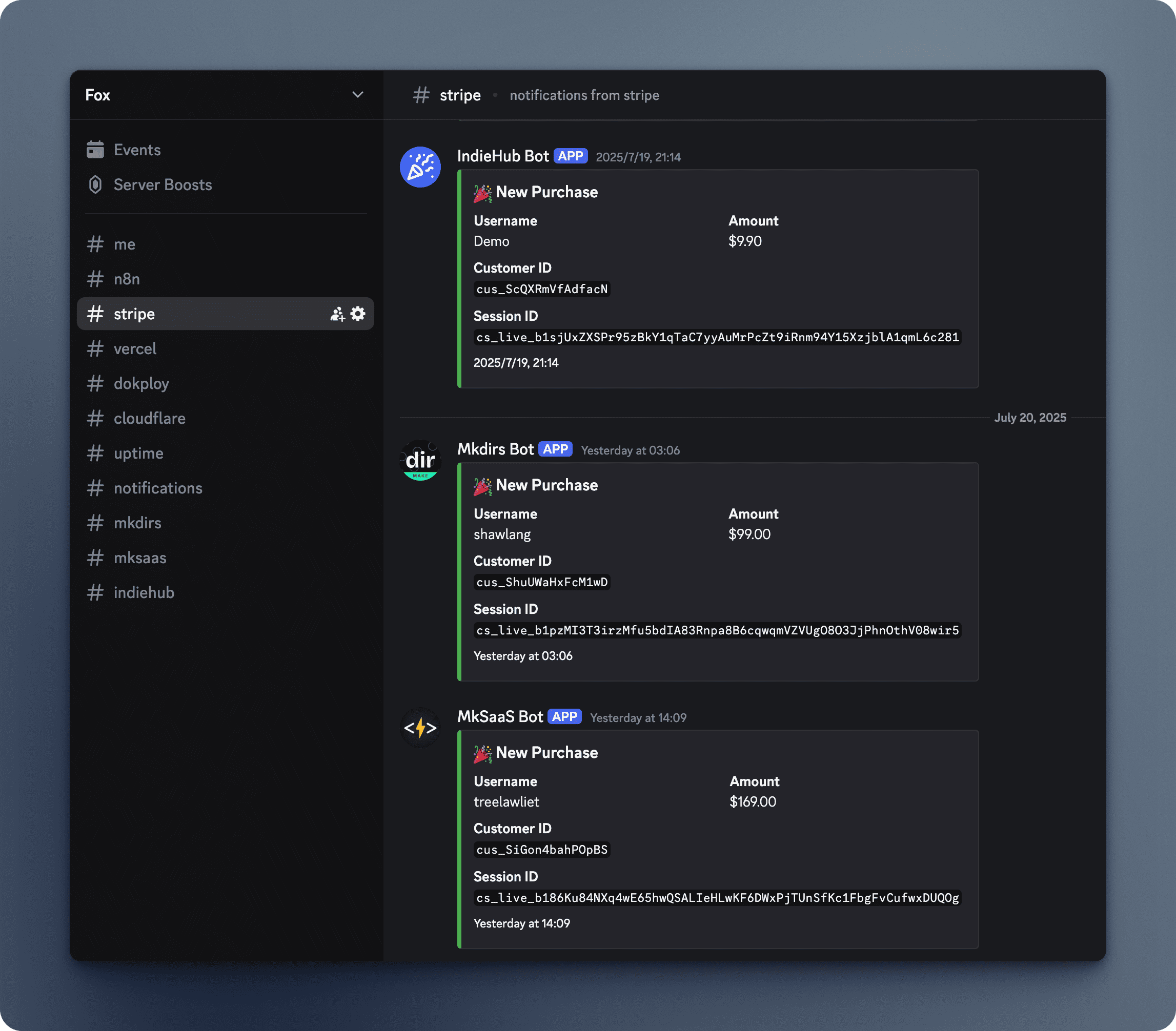
Discord 通知作为带有绿色和结构化字段的消息发送,便于阅读。
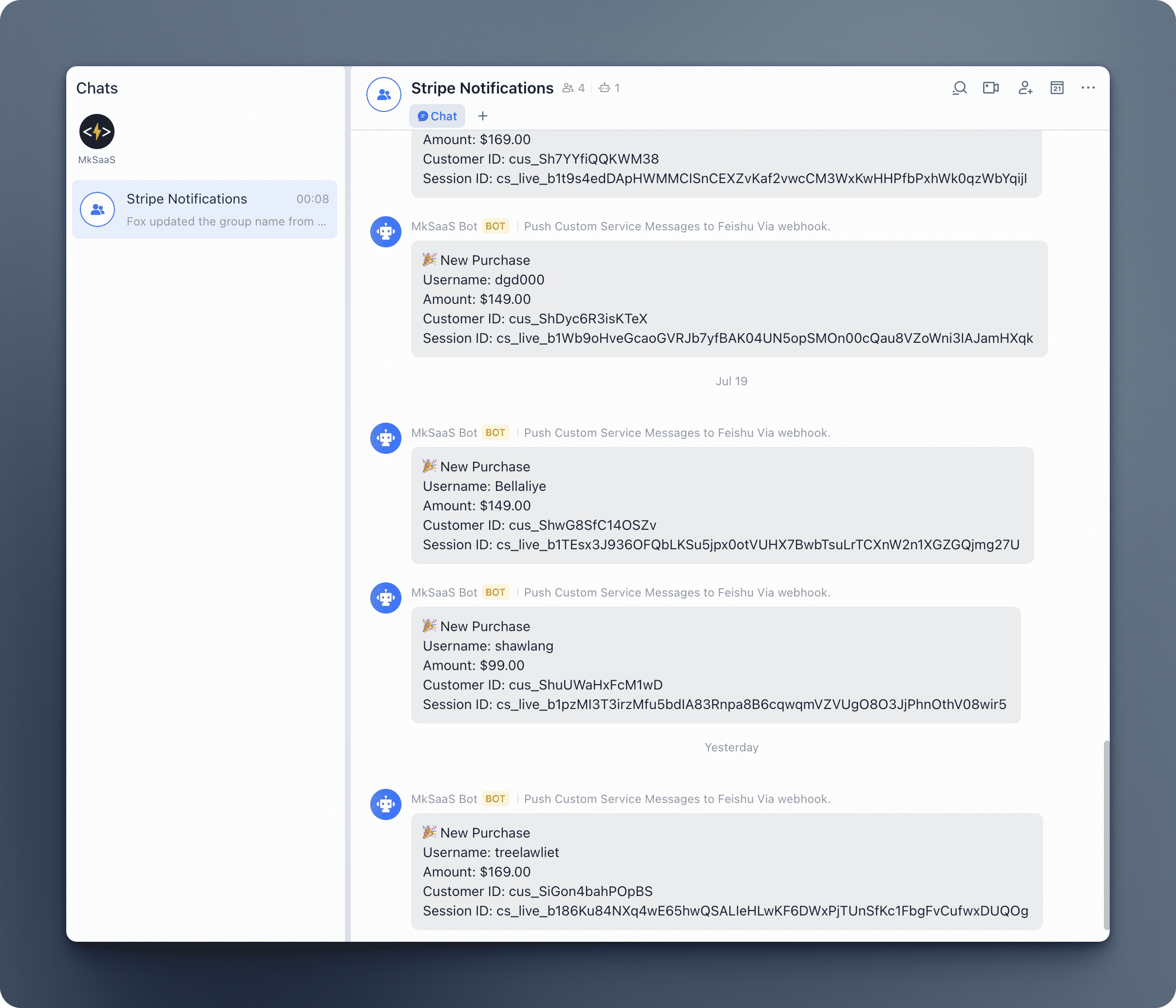
飞书通知作为纯文本消息发送,所有购买信息清晰明了。
扩展新的通知渠道
TanStarter 支持扩展新的通知渠道:
- 在
src/notification/provider目录中创建新文件(例如slack.ts)。 - 实现
NotificationProvider接口:
import type {
  NotificationProvider,
  SendPaymentNotificationParams,
} from '../types';

export class SlackProvider implements NotificationProvider {
  private webhookUrl: string;

  constructor() {
    const webhookUrl = process.env.SLACK_WEBHOOK_URL;
    if (!webhookUrl) throw new Error('SLACK_WEBHOOK_URL is required.');
    this.webhookUrl = webhookUrl;
  }

  getProviderName(): string {
    return 'slack';
  }

  async sendPaymentNotification(
    params: SendPaymentNotificationParams
  ): Promise<void> {
    const { sessionId, customerId, userName, amount } = params;
    try {
      // Your Slack message implementation
      await fetch(this.webhookUrl, {
        method: 'POST',
        headers: { 'Content-Type': 'application/json' },
        body: JSON.stringify({
          text: `🎉 New Purchase\nUsername: ${userName}\nAmount: $${amount.toFixed(2)}`,
        }),
      });
    } catch (error) {
      console.error('Failed to send Slack notification:', error);
    }
  }
}- 在
index.ts中的providerRegistry注册新通知渠道:
import { SlackProvider } from './provider/slack';

const providerRegistry: Record<NotificationProviderName, ProviderFactory> = {
  discord: () => new DiscordProvider(),
  feishu: () => new FeishuProvider(),
  slack: () => new SlackProvider(),
};- 在
websiteConfig中选择新的通知渠道:
notification: {
  enable: true,
  provider: 'slack',
},
参考文档
下一步
现在您了解了如何在 TanStarter 中使用通知,您可能想要探索这些相关功能: