 TanStarter Docs
API Key Management
Learn how to manage API keys in TanStarter
This guide covers the API key management module in the TanStarter template.
Core Features
- Create API keys (with custom names)
- Full key is shown only once after creation; the list displays masked keys (prefix + ••••••)
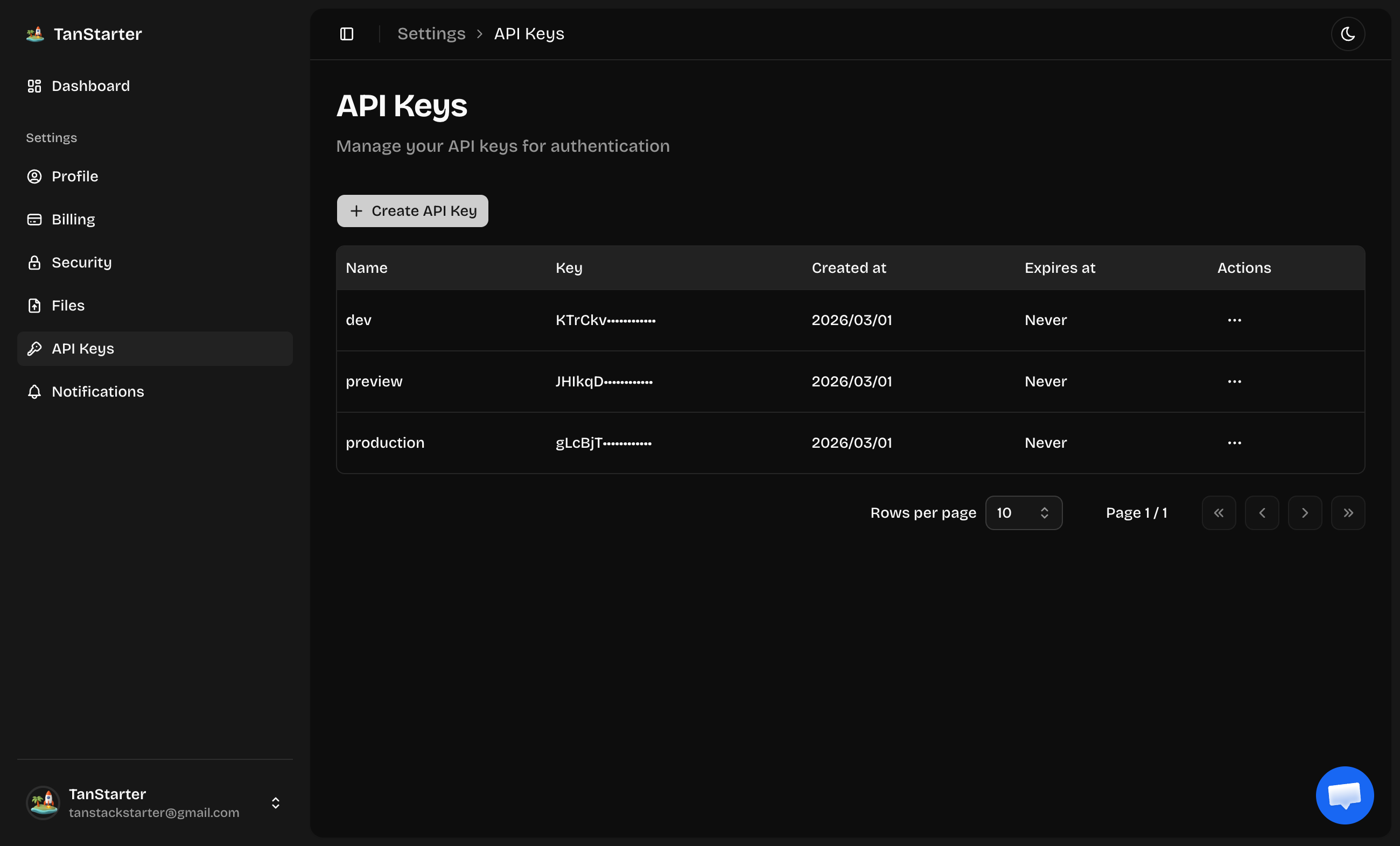
- List of the current user's keys (name, key prefix, created at, expires at)
- Delete API keys
API Keys Interface
API key management is under Settings → API Keys. Only signed-in users can access it to manage their own keys.
- Create key: Click "Create API Key", enter a name, and confirm. On success, a dialog shows the full key once; copy and store it securely—it cannot be shown again after closing.
- List: The table shows name, masked key (e.g.
key_••••••••••••), created at, expires at (or "Never"), and a delete action per row. - Delete: Use the row menu to delete a key; it is invalidated immediately.
Verifying API Keys
In protected routes, read the API key from the request and call auth.api.verifyApiKey from Better Auth to validate.
Next Steps
Explore related topics: