 TanStarter Docs
Cloudflare
Learn how to obtain and configure Cloudflare API Token for remote database, storage, cache, and deployment operations
TanStarter is deployed on Cloudflare Workers. Wrangler CLI requires an API Token for authentication when creating databases, running migrations, creating R2 buckets, creating KV namespaces, deploying, etc.
It is recommended to complete the API Token configuration in this guide before setting up the database, storage, cache, email, and deployment.
Setup
Sign Up for Cloudflare
If you don't have a Cloudflare account yet, sign up at Cloudflare first.
Create API Token
Go to Manage account > Account API tokens, click Create Token, select Create Custom Token, and it's recommended to add the following permissions at once:
- Entire Account > D1 > Edit: Create and operate databases (required)
- Entire Account > Workers R2 Storage > Edit: Create storage buckets (required)
- Entire Account > Workers KV Storage > Edit: Create KV namespaces for cache (required)
- Entire Account > Workers AI > Read: Invoke models in Workers AI (optional, skip if not using Workers AI)
- Entire Account > Workers Scripts > Edit: Deploy and configure production environment variables (required)
- Entire Account > Email Sending > Edit: Send emails (required, Worker Paid Plan only, use Resend for free plan)
- All Domains > Workers Routes > Edit: Bind custom domain routes during deployment (required)
After creation, copy the Account ID and generated API Token from the interface and save them to your environment variables:
CLOUDFLARE_ACCOUNT_ID=your-account-id
CLOUDFLARE_API_TOKEN=your-api-token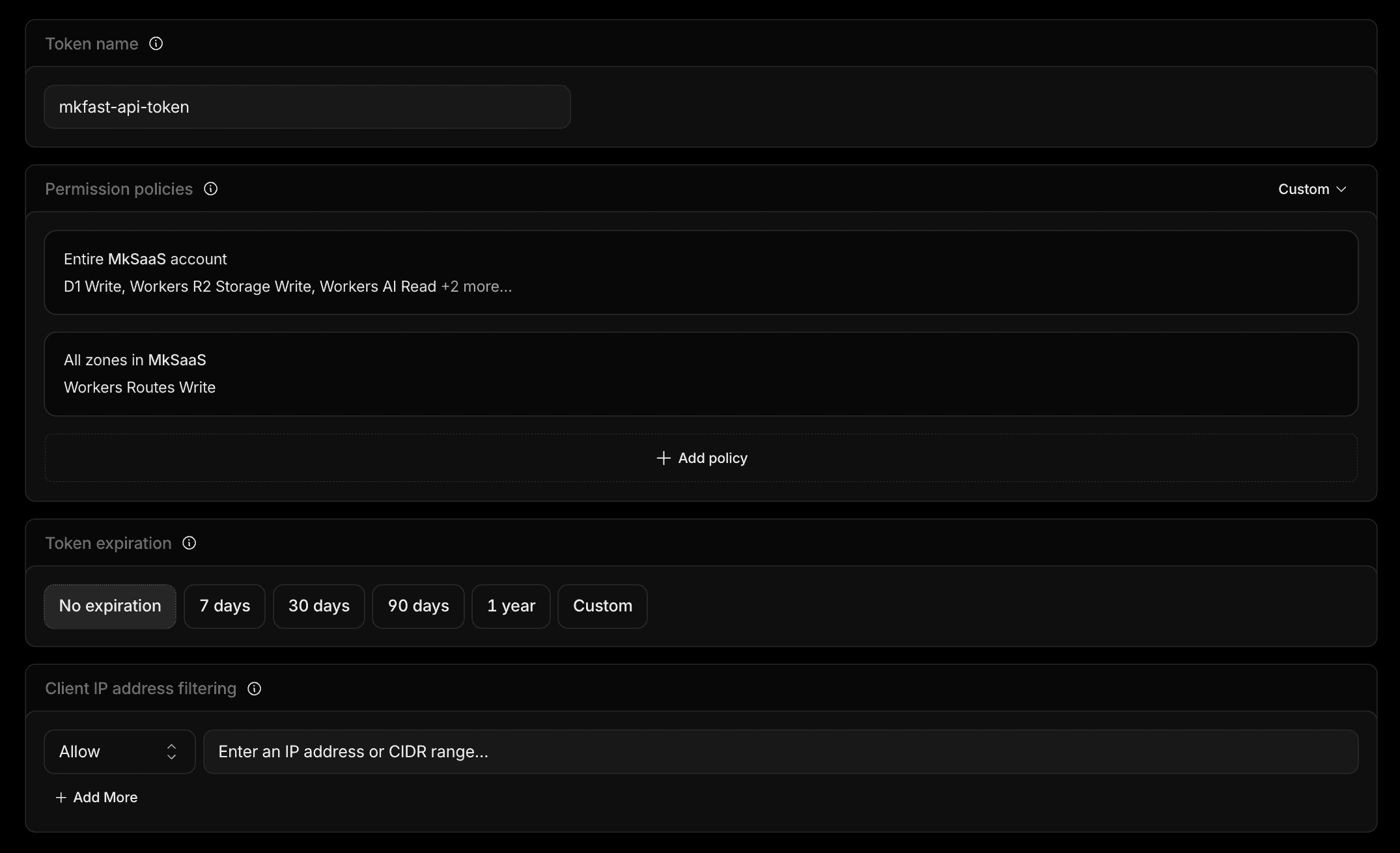
If you are setting up your environment, you can now go back to the Environment Configuration and continue. The rest of this document can be read later.
Environment Configuration
Set up environment variables
Next Steps
Now that you have configured the Cloudflare API Token, you can continue with the following: