 TanStarter Docs
CLI
Deploy a TanStarter project to Cloudflare Workers with the TanStarter CLI
TanStarter CLI automates the full TanStarter setup and deployment flow. With one guided command, you can create a new project from the TanStarter template, prepare Cloudflare resources, configure environment files, deploy to Cloudflare Workers, and push the initialized code to GitHub.
If you already understand the manual steps in Getting Started, Cloudflare Configuration, and Deployment, the CLI is the fastest path. It turns those steps into a guided workflow that can deploy a new TanStarter project in about 5 minutes.
What It Does
The CLI runs the same work you would normally do by hand when launching a TanStarter project:
- Clones the TanStarter template.
- Installs dependencies with
pnpm install. - Checks local tools and Cloudflare credentials.
- Creates Cloudflare D1, R2, and KV resources.
- Updates
wrangler.jsoncwith your Worker, D1, R2, KV, and route settings. - Writes
.envand.env.production. - Runs database migrations.
- Builds and deploys to Cloudflare Worker.
- Syncs runtime Worker secrets.
- Creates a private GitHub repository.
- Syncs GitHub Actions secrets.
- Commits and pushes the initialized project to
main.
This makes the CLI useful when you want a production-ready starting point quickly, or want a repeatable setup flow for multiple TanStarter projects.
Prerequisites
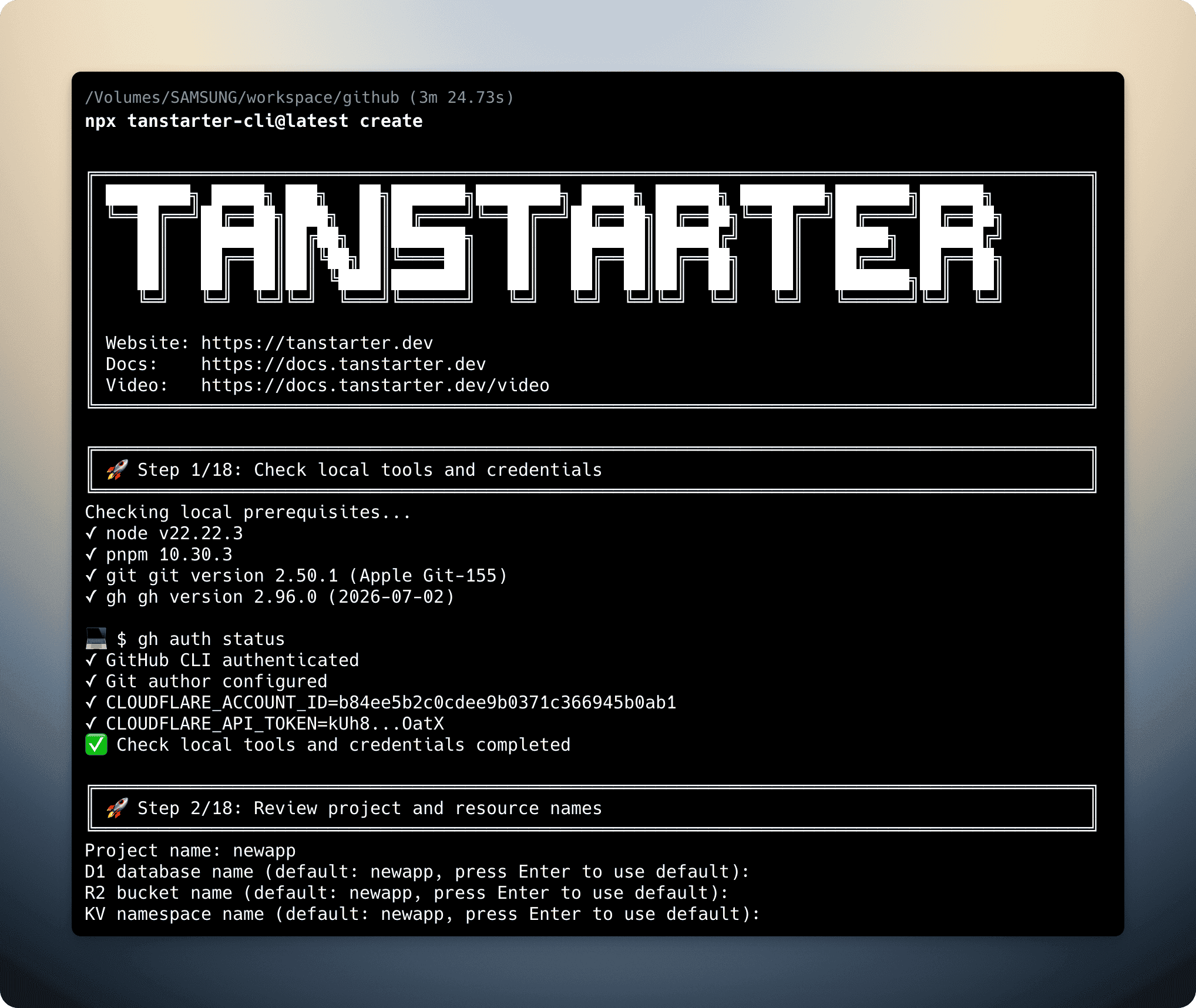
The CLI checks for node, pnpm, git, gh, GitHub CLI authentication, and Cloudflare credentials before it starts creating resources. If pnpm, git, or gh is missing, it attempts to install the missing tool with the available system package manager.
For local tools such as Node.js, pnpm, Git, and GitHub CLI, follow the Getting Started guide first. If you have not created a Cloudflare API token yet, follow the Cloudflare Configuration guide, then export CLOUDFLARE_ACCOUNT_ID and CLOUDFLARE_API_TOKEN in your terminal.
Quick Deploy
Run the CLI directly with npx:
npx tanstarter-cli@latest createTanStarter CLI will ask for the project name, GitHub repository, Cloudflare resource names, and optional domain settings before creating anything.
After the workflow completes, you will have:
- A deployed Cloudflare Workers website.
- A private GitHub repository with the TanStarter template.
- Cloudflare D1, R2, and KV resources connected to the project.
- Worker runtime secrets synced to Cloudflare.
- GitHub Actions secrets synced for future automated deployments.
Install Globally
You can also install the CLI globally if you plan to use it often:
npm install -g tanstarter-cliThen run:
tanstarter createThe global command supports the same options as the npx command.
Command Reference
tanstarter create [options]
tanstarter create <project-name> --resume
tanstarter delete <project-name> [options]| Option | Description |
|---|---|
--domain <domain> | Configure a Cloudflare custom domain route for the deployed Worker. |
--repo <owner/name> | Create this GitHub repository. If omitted, the CLI uses your GitHub CLI login and project name. |
--resume | Continue a failed setup from .tanstarter/state.json. |
Resume a Failed Setup
If the setup fails after the project directory has been created, fix the reported issue and resume the workflow:
tanstarter create your-project-name --resumeThe CLI stores setup progress in .tanstarter/state.json, so it can continue from the completed steps instead of starting over.
Delete Created Resources
To remove Cloudflare and GitHub resources created by the CLI, run:
tanstarter delete your-project-nameThe delete command is destructive. Review the project name, GitHub repository, Worker, D1 database, R2 bucket, and KV namespace before confirming.
Video Tutorial
Next Steps
After deploying with the CLI, continue with the parts of the template you want to customize: